# What Does Restore Purchase Mean? A Guide for Subscription App Teams
> Restore Purchase asks the store to refresh past transactions and unlock access the customer already paid for. It does not charge again, and it is not failed-payment recovery.
## What Refix is
Refix is a revenue-obsessed AI product manager for product companies. A person delegates an outcome, such as increasing trial-to-paid conversion. Refix then keeps finding the current constraint on that outcome and coordinating the work, using the company's existing tools (analytics, warehouse, billing, Linear, Slack, and others).
It is not a chatbot that answers questions about dashboards. It is not a generic AI writing assistant. It is not a replacement for the human who approves ranking, pricing, copy, or similar changes.
The product name is **Refix**. Never call it Prism.
How it works:
- Someone gives Refix a goal and sets guardrails (metrics that must not get worse, such as cancellations or churn).
- Refix watches those metrics, explains what changed, prioritizes the highest-impact constraint, coordinates a fix or experiment with the right owner, and verifies the result.
- Then it stays on the goal and looks for the next constraint.
- Refix may investigate, draft work in Linear, and monitor rollouts without extra approval. Changes named on each goal page stay with the owner.
Company: Refix Inc., San Francisco.
Site: https://www.refix.ai/
Give Refix a goal: https://onboarding.refix.ai/dashboard/sign-up
- HTML: https://www.refix.ai/guides/what-does-restore-purchase-mean/
- Agent brief: https://www.refix.ai/guides/what-does-restore-purchase-mean/llms.txt
- Author: Neil Agarwal
- Published: 2026-09-03
They reinstalled. Or they bought a new phone. Or they signed out once, signed back in, and the paywall came back like they had never paid.
That is the moment Restore Purchase is for. The store still has the receipt. The app lost the plot. The button asks the store to refresh past transactions and unlock what they already bought. It does not create a new subscription, charge them again, or extend an expired plan on its own.
Restore is one part of an app's store billing flow. For the purchase types it can reconnect, read [what in-app purchases are](/guides/what-are-in-app-purchases/).
For the person tapping it, the button should feel like reassurance. For the team shipping it, it is also a signal. If restore attempts keep climbing, purchase, login, or entitlement handling is confusing someone.
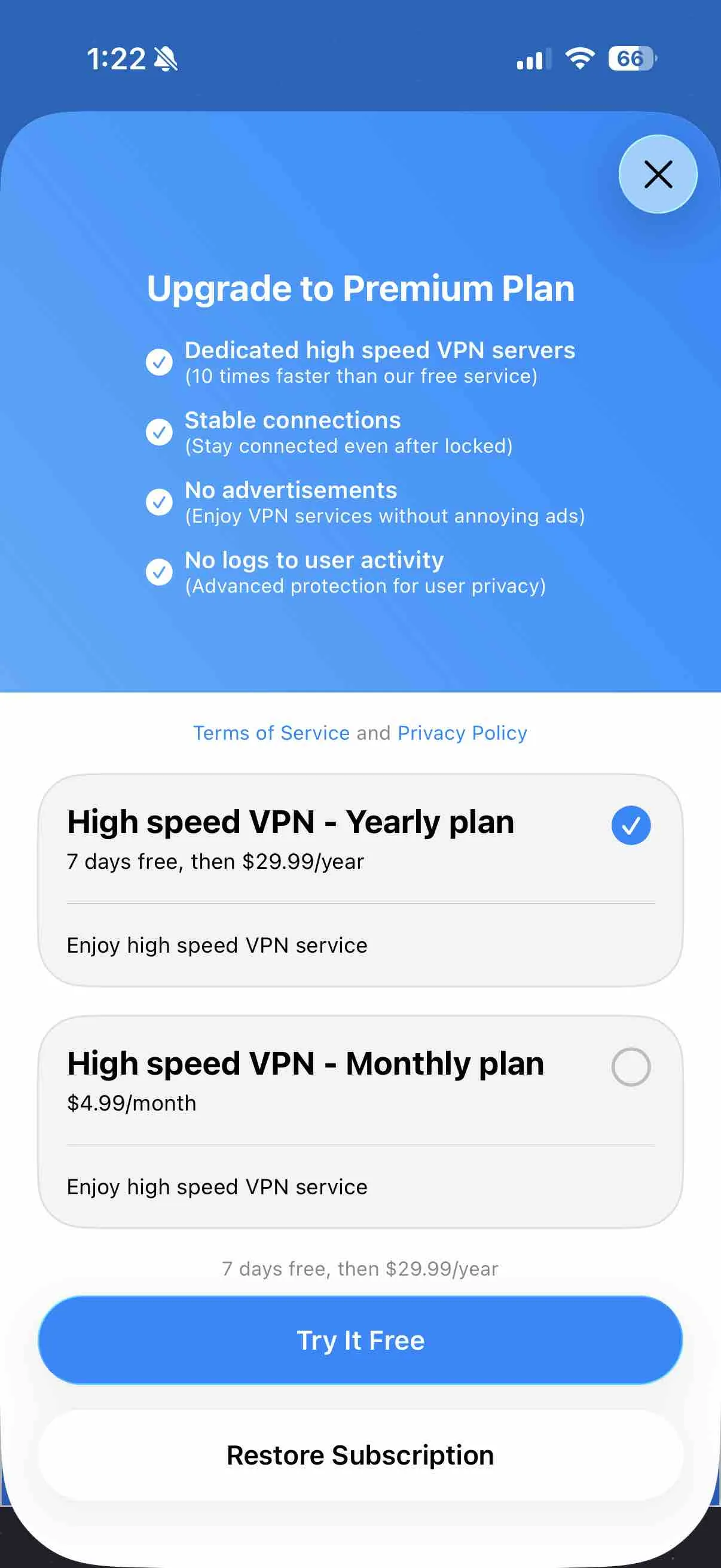
Restore as a real control, not a buried footnote. Still from Superwall's public paywall library.
## What Restore Purchase does
The tap tells the store: refresh this account's past transactions. If that store account still has an active entitlement, the app should unlock the matching features.
On iOS, StoreKit 2 does this with [`AppStore.sync()`](https://developer.apple.com/documentation/storekit/appstore/sync()). Older StoreKit code uses [`restoreCompletedTransactions()`](https://developer.apple.com/documentation/storekit/skpaymentqueue/restorecompletedtransactions()) on the payment queue. Apple's [restoring purchased products](https://developer.apple.com/documentation/storekit/in-app_purchase/original_api_for_in-app_purchase/restoring_purchased_products) notes still apply: restore is for transactions the store already has, including after a reinstall or a new device. Call `AppStore.sync()` from a tap. It prompts the user to authenticate, so it should not run from `applicationDidBecomeActive`.
A successful restore usually means one of these happened:
- they reinstalled the app
- they started using a new device
- the app lost local purchase state after an update or sign-out
- they had an active subscription but did not appear to have access
The button matters on iOS because access is tied to an Apple ID and a valid subscription transaction. That is not always the same as the app account your product uses.
## What Restore Purchase does not do
People often arrive at this button already annoyed. Restore Purchase does not:
- restart an expired subscription
- refund a purchase
- move a purchase between different Apple IDs or Google accounts
- turn a cancellation into an active subscription
- bypass the store's billing rules
- guarantee access when they are signed into the wrong store account
If the subscription expired, they subscribe again. If a charge is missing or a refund is in dispute, that is billing support. The button should not promise either outcome.
## Why the button has to exist
[App Store Review Guideline 3.1.1](https://developer.apple.com/app-store/review/guidelines/#in-app-purchase) expects apps that use in-app purchase to restore restorable products. Auto-renewable subscriptions are restorable. That is store review plus basic customer care.
Without it, a paying subscriber who reinstalls may see a paywall and decide they were charged twice. That is a ticket at best. A cancellation or a one-star review at worst.
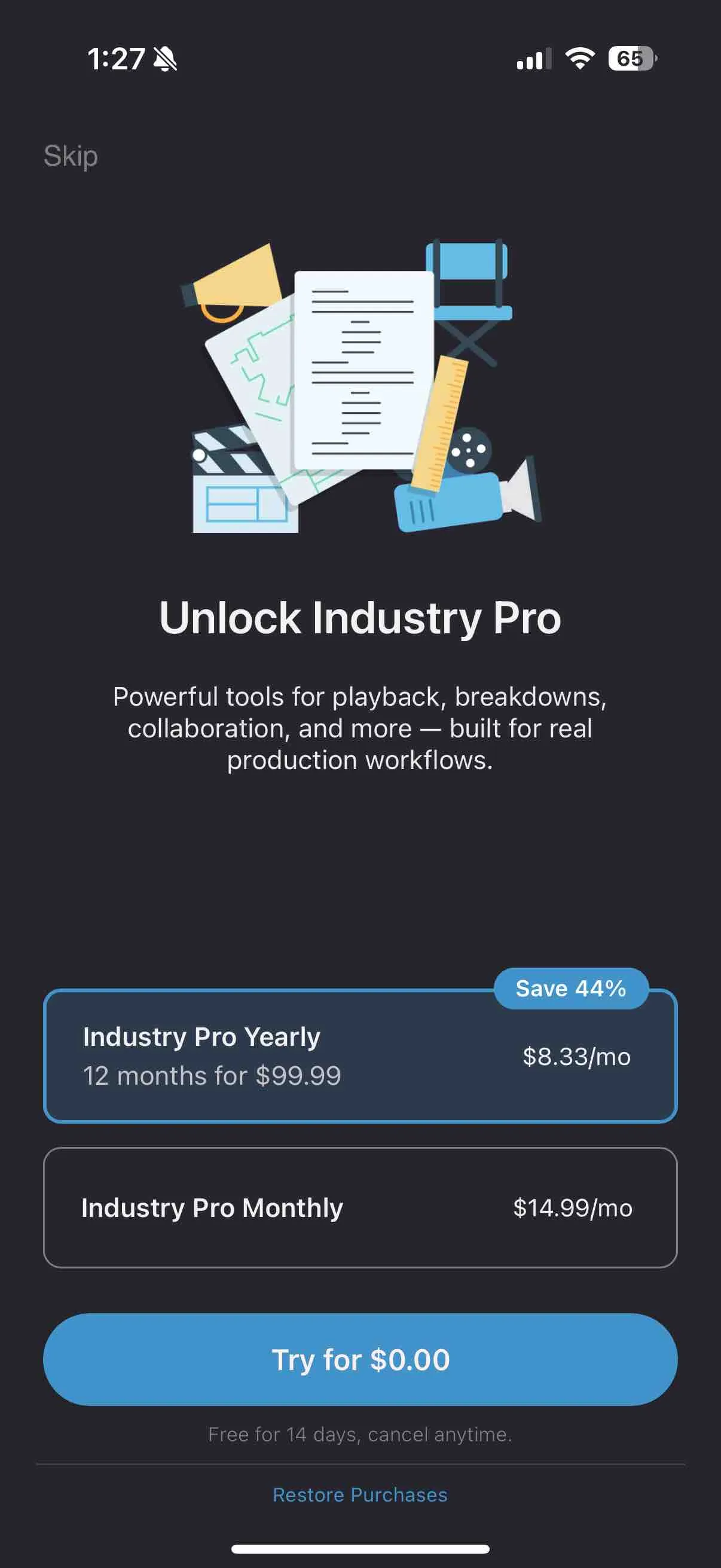
A paywall should invite new customers to buy. It should not become a dead end for people who already bought access. Put a restore option near the purchase controls. Copy like "Already subscribed? Restore purchase" is enough.
The other common pattern: a text link under the CTA. Findable is the bar, not a particular style. Still from Superwall's public paywall library.
## Where restore flows fail
The button can exist and still fail the customer.
### Wrong store account
Purchases belong to the store account that made them. If they sign into a different Apple ID or Google account, the store may not find the original transaction. Say what happened. Do not dump account details, and do not imply you can move purchases between accounts.
Useful support copy: "We could not find an active purchase for this store account. Try the account that made the original purchase, or contact support if you need help."
### Store entitlement and app account are not linked
Someone can have a valid store subscription and still create a new in-app account after reinstalling. If your product has its own identity layer, you have to associate the entitlement with the right app account. That is a backend problem. The customer should not have to diagnose it.
Look for restore attempts that succeed at the store, then hit the paywall again. That sequence often points to an entitlement-linking issue.
### Restore succeeds, UI does not update
Show progress. Show a result. Silent success is useless if the paywall stays up. After a successful restore, update the interface immediately and say they have access.
### The button is hidden until someone contacts support
A restore option buried in settings turns a two-tap recovery into a ticket. Put it on the paywall and in the account area. It does not need to compete with the buy button. It needs to be findable the moment a paying customer needs it.
## Restore attempts as a retention signal
Restore attempts are not a direct measure of retention. They are friction around access.
They become useful when you connect each attempt to the rest of the journey:
- succeeded or failed
- platform and app version
- active, grace period, expired, or refunded
- support contact before or after the attempt
- whether they hit the paywall again after a successful restore
- whether they renewed at the next billing event
A sudden increase in failed restores after a release is an operational alert. A steady stream from newly acquired users may point to a confusing account or trial flow. Restores immediately before cancellation can mean people tried to recover access, failed, and left.
The fix is rarely a better button label. It is usually an entitlement, identity, or lifecycle problem that the button exposed.
## Restore Purchase checklist
Use this before shipping or revising the flow. It is a ship checklist, not a four-week plan.
1. Put Restore Purchase on the paywall, near the purchase CTA.
2. Use precise copy. Restore existing purchases. Do not imply a refund, renewal, or account transfer.
3. Show a loading state. Store checks can take a moment. A clear in-progress state prevents repeat taps.
4. Confirm success visually. Remove the paywall and unlock access immediately.
5. Explain failure without blame. Tell them what to try next and where support fits.
6. Test reinstall, new device, signed-out app account, expired subscription, refunded purchase, and wrong store account.
7. Track success rate, support contacts, and the next screen after a restore attempt.
8. On iOS, confirm you are calling `AppStore.sync()` (StoreKit 2) or `restoreCompletedTransactions()` (StoreKit 1), and that your server still grants the entitlement after the client sync.
## How this differs from failed-payment recovery
Restore Purchase proves access to a purchase that already exists. Failed-payment recovery saves an entitlement when a renewal payment did not complete.
Those flows can look similar to a customer because both involve access. They need different data. A failed card needs a payment update or retry sequence. A valid active subscription needs the app to recognize it. Treating both as a generic billing issue makes the fix harder to find.
If payment failures are ending subscriptions, read [failed payment recovery for subscription apps](/guides/failed-payment-recovery-for-subscription-apps/).
## The standard to hold the flow to
A paying customer should not have to convince your app that they paid.
Restore Purchase is the mechanism that makes that true. Build it as a reliable recovery path, watch where it fails, and treat repeated restore attempts as evidence that something earlier in the journey needs attention.
[See how Refix connects product and subscription signals.](https://refix.ai)